
Valutato
Basato su
85,278+
85.3k
Recensioni
Download immediato
Garanzia di rimborso al 100%
Supporto 24 ore su 24, 7 giorni su 7
 Account Xbox
 In tutto il mondo
 Download istantaneo
Valutato Eccellente
Basato su 85,278+ Recensioni
A reliable experience from purchase to activation. Consistently excellent.
Verified Buyer
Efficient purchase and prompt service—I’ve never been disappointed.
Verified Buyer
I've been a customer for 15 years. Unmatched service and reliable key delivery.
Verified Buyer
I received my PlayStation Plus key promptly, and the setup was effortless.
Verified Buyer
The ordering process was smooth and uncomplicated. Ideal for busy gamers.
Verified Buyer
Windows 11 Pro worked perfectly out of the box—reliable and trustworthy.
Verified Buyer
Download immediato
Garanzia di rimborso al 100%
Supporto 24 ore su 24, 7 giorni su 7
Account Xbox
In tutto il mondo
Download istantaneo
A reliable experience from purchase to activation. Consistently excellent.
Verified Buyer
Efficient purchase and prompt service—I’ve never been disappointed.
Verified Buyer
I've been a customer for 15 years. Unmatched service and reliable key delivery.
Verified Buyer
I received my PlayStation Plus key promptly, and the setup was effortless.
Verified Buyer
The ordering process was smooth and uncomplicated. Ideal for busy gamers.
Verified Buyer
Windows 11 Pro worked perfectly out of the box—reliable and trustworthy.
Verified Buyer
Ti verrà inviato un nuovo account precaricato con il gioco. Non verrà emesso alcun rimborso per gli account bloccati. Leggi i nostri Termini nella descrizione.
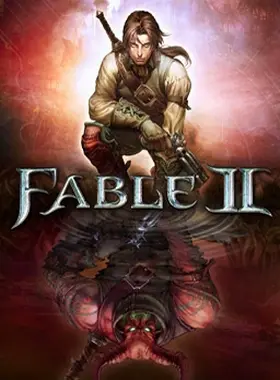
Scopri l'incantevole mondo di Fable II sulla tua XBOX One o Xbox Series X|S! Questo account fornisce l'accesso a una narrativa ricca e coinvolgente, permettendoti di esplorare un vivace mondo aperto pieno di avventure e scelte. Dai forma al destino del tuo eroe nella magica terra di Albion e intraprendi oggi un viaggio indimenticabile!
Questo gioco supporta l'inglese.
Fable II, il gioco di ruolo d'azione più venduto, in cui vesti i panni di un eroe nella terra completamente realizzata di Albion. Vivi una storia epica, diventa il più grande combattente, pistolero o mago del mondo. Esplora dozzine di ambienti aperti e unici con il tuo fedele cane. Fai amicizia, innamorati e crea una famiglia. Incontra centinaia di personaggi e affronta decisioni molto difficili. In Fable II, tutto ciò che fai ha delle conseguenze. Non sono previsti rimborsi per questo articolo.

Utilizza le credenziali che hai ricevuto (direttamente o tramite un sito Web esterno) e accedi all'account.
Assicurati che i contenuti dell'account siano corretti (edizione corretta del gioco, nessun tempo di gioco, ecc.).
Aggiungi l'account acquistato alla tua console e impostalo come account Xbox home: l'account
acquistato deve essere aggiunto come nuovo utente, non come ospite.
30 Xbox Series X S Come rendere l'account principale!
Cambia le credenziali per personalizzare l'account:
Una volta aggiunto l'account alla tua console (come account Xbox home), scarica il gioco e torna all'account da cui desideri giocare. In questo modo i tuoi progressi verranno salvati sull'account che stai utilizzando.
L'account deve essere utilizzato per accedere al gioco/ai contenuti che ti interessano. Non è consigliabile utilizzarlo come account principale, poiché potresti avere problemi con gli acquisti su
di esso.Sii il primo a recensire questo prodotto!
Perché i nostri clienti ci amano
Valutato come eccellente
Saved a ton on Office 2021. Got my key immediately and it activated without a hitch. EF is the real deal!
by Verified Buyer
Bought a PS Plus membership, code in seconds. Had a minor issue, support resolved it fast. Very impressed!
by Verified Buyer
Doubted a deal this good, but a friend insisted. My Windows 10 Pro key arrived instantly and works perfectly.
by Verified Buyer
Bought Office 2021 at 2am and got my key immediately. I didn’t expect delivery at that hour. Outstanding!
by Verified Buyer
Overseas but still got my code instantly. Xbox Live Gold code redeemed with no region issues. Impressed!
by Verified Buyer
Got Windows 10 Pro & Office 2021 far cheaper than retail. Both keys arrived instantly and activated fine.
by Verified Buyer
Got a Steam game key cheap. Code came instantly, I was playing within minutes of purchase. Can’t beat that!
by Verified Buyer
Bought Windows 11 Pro dirt cheap. Key arrived instantly and activated without issues. Truly 100% legit!
by Verified Buyer
First purchase, was cautious. Fast delivery and legit PS Plus code won me over. I’ll be a repeat buyer.
by Verified Buyer
Bought an Amazon gift card at a discount. Code arrived in seconds and worked perfectly. A lifesaver!
by Verified Buyer
Bought an Xbox Game Pass code at an unbeatable price. Arrived in my email within seconds. Beyond satisfied!
by Verified Buyer
Windows 11 Pro key seemed too cheap. 80k+ reviews convinced me to try them. Code arrived instantly and worked.
by Verified Buyer
Guadagna un reddito extra e senza sforzo
unendoti al nostro Programma di affiliazione
Unisciti all'Esercito EF per ottenere vantaggi esclusivi per i membri




Condividere