
حاصل على تقييم
بُناءً على
53,801+
53.8k
مراجعة
تنزيل فوري
ضمان استرداد الأموال بنسبة 100%
دعم فني 24/7
 بلايستيشن 5 بلاي ستيشن 5
 الولايات المتحدة
 Instant Download


تنزيل فوري
ضمان استرداد الأموال بنسبة 100%
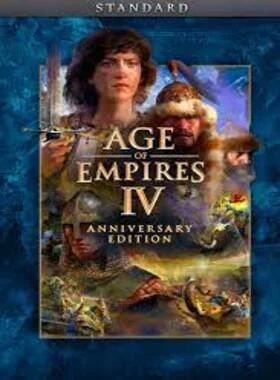
Age of Empires IV: Anniversary Edition PS5 US
بلايستيشن 5 بلاي ستيشن 5
الولايات المتحدة
Instant Download
Celebrated as the flagship title for the beloved Age of Empires franchise, this acclaimed real-time strategy experience has been rebuilt for console, offering intuitive, full controller support without compromising the strategic depth fans love. Winner of 2021 Best Sim/Strategy Game at The Game Awards, PC Gamer’s Best Strategy Game, and recipient of multiple Editors’ Choice and Game of the Year accolades, Age of Empires IV brings one of the most iconic strategy franchises in gaming history to a new generation of players.
Make History Your Story
With millions of players worldwide and an ever-growing legacy, Age of Empires IV: Anniversary Edition places you at the center of epic battles that shaped the world. Explore massive historical campaigns, command diverse civilizations, and lead your empire into battle.
• Lead One of 10 Diverse Civilizations: Choose your path to victory with 10 unique civilizations from around the world—including the English, Chinese, Delhi Sultanate, and the powerful Malians of West Africa. Each civilization offers distinct strengths, units, and strategic possibilities, making every match a new challenge and opportunity.
• Relive 500 Years of History Across 4 Campaigns: Experience pivotal moments in history through four richly crafted campaigns. With 35 missions spanning the Dark Ages to the Renaissance, you’ll command legendary figures and shape the outcomes of battles on land and sea.
• Choose Your Path to Greatness with Historical Figures: Take up arms as Joan of Arc in her campaign against the English or lead Genghis Khan in his sweeping conquest across Asia. Your decisions shape the course of history — on land and at sea.
• Learn or Master the Art of War: Enjoy robust tutorials and a Campaign Story Mode for new players, or competitive multiplayer, strategic gameplay and ranked leaderboards for advanced veterans.
• Challenge the World: Join friends or foes in ranked and unranked online matches across PvP and co-op modes, with support for up to 8 players.

اذهب إلى متجر بلاي ستيشن

قم بالتمرير إلى أسفل الشريط الجانبي، وحدد استرداد الرموز

أدخل الرمز المكون من 12 رقمًا بعناية، ثم اضغط على "تم" واتبع الخطوات لاسترداد الرمز الخاص بك.

ملاحظة: بالنسبة لألعاب PSN، يمكنك اختيار التنزيل على الفور أو في أي وقت، فقط انتقل إلى المكتبة، ثم تم شراؤها.
اذهب إلى متجر بلاي ستيشن
قم بالتمرير إلى أسفل الشريط الجانبي، وحدد استرداد الرموز
انتقل إلى زر النقاط الثلاث الموجود في الزاوية اليمنى العليا من الشاشة
اختر "استرداد الرمز"
ادخل الكود الخاص بك المُكون من 12 عشر رقمًا / حرفًا.
تهانينا! يتم الآن تطبيق الرصيد أو المحتوى على حسابك.
انتقل إلى موقع متجر البلاي ستيشن وقم بتسجيل الدخول إلى حساب PSN الخاص بك.
انقر على الصورة الرمزية الخاصة بك في الجزء العلوي الأيمن من الشاشة.
حدد استرداد الرموز من القائمة المنسدلة.

أدخل الرمز المكون من 12 رقمًا بعناية، ثم اضغط على التالي.
قم بتأكيد المنتج بالنقر فوق إضافة أموال/استرداد/تأكيد
تهانينا! تم الآن إضافة الرصيد أو المحتوى على حسابك.
كن أول من يُقيّم هذا المنتج!


Receive 100% genuine software keys, backed by our Flawless Activation guarantee for complete peace of mind.
Your software key is delivered directly to your email inbox within seconds of completing your purchase. No waiting.
Our dedicated support team is available around the clock via live chat and email to assist with installation and activation.
Our 30-day money-back guarantee ensures a fast refund or replacement if your key is faulty or incompatible.
The price you see is the final price you pay. No hidden service fees or surprise charges at the checkout.
Earn valuable points with every purchase and redeem them for real discounts on future software.
A proven track record with thousands of verified, positive reviews from real customers across the globe.


لماذا يحبنا عملاؤنا
تم تقييمه بشكل ممتاز
Saved a ton on Office 2021. Got my key immediately and it activated without a hitch. EF is the real deal!
by Verified Buyer
Bought a PS Plus membership, code in seconds. Had a minor issue, support resolved it fast. Very impressed!
by Verified Buyer
Doubted a deal this good, but a friend insisted. My Windows 10 Pro key arrived instantly and works perfectly.
by Verified Buyer
Bought Office 2021 at 2am and got my key immediately. I didn’t expect delivery at that hour. Outstanding!
by Verified Buyer
Overseas but still got my code instantly. Xbox Live Gold code redeemed with no region issues. Impressed!
by Verified Buyer
Got Windows 10 Pro & Office 2021 far cheaper than retail. Both keys arrived instantly and activated fine.
by Verified Buyer
Got a Steam game key cheap. Code came instantly, I was playing within minutes of purchase. Can’t beat that!
by Verified Buyer
Bought Windows 11 Pro dirt cheap. Key arrived instantly and activated without issues. Truly 100% legit!
by Verified Buyer
First purchase, was cautious. Fast delivery and legit PS Plus code won me over. I’ll be a repeat buyer.
by Verified Buyer
Bought an Amazon gift card at a discount. Code arrived in seconds and worked perfectly. A lifesaver!
by Verified Buyer
Bought an Xbox Game Pass code at an unbeatable price. Arrived in my email within seconds. Beyond satisfied!
by Verified Buyer
Windows 11 Pro key seemed too cheap. 80k+ reviews convinced me to try them. Code arrived instantly and worked.
by Verified Buyer
انضم لجيشنا للحصول على مميزات الأعضاء الحصرية
سلة المشتريات الخاصة بك فارغة!
Add your favourite games & software to get started.
شاهد أفضل الكتب مبيعاً


Convert coins into real savings at checkout!
Check Dashboard New here? اشترك & Track ProgressEarn EF Coins by completing tasks — build up your balance and turn them into wallet credit!

كن عضوًا في مجتمع إلكترونيك فرست

اشتر منتج

أضف لمسة شخصية لاسمك المستعار

أضف صورة شخصية

قم بإضافة منتج لقائمة التمني الخاصة بك

اطلب منتجًا قبل تاريخ إصداره

اشتر 10 منتجات

اشتر أكثر من 20 منتجًا

عضو لأكثر من 6 أشهر

عضو لأكثر من سنة

اكتب مُراجعة


مشاركة