



Pro Clubs in EA FC 27 now lives inside The Grounds instead of the main menu. You first enter The Grounds, finish its introduction, then find your Clubhouse. From there, you can enter the Clubs lobby and choose your position.
You can also build your Virtual Pro through Drop-in matches and Rush. League Matches and Playoffs remain the competitive core. Your long-term goal is climbing the Clubs League toward Elite Division.
How Do You Access Pro Clubs In EA FC 27?
The biggest change is EA FC 27 Pro Clubs no longer have a direct main-menu button. You need to enter EA FC 27 The Grounds first. Complete the introductory section before freely exploring the social hub.
Once that opens, you have two useful routes.
| What You Want To Do | Where You Go |
| Create or join a club | My Club menu |
| Manage club settings | My Club menu |
| Start a Clubs match | Clubhouse |
| Enter the lobby | Clubhouse |
| Improve your Virtual Pro | The Grounds activities |
| Play without your club | Drop-in activities |
How Do You Find The EA FC 27 Clubhouse?
Finding the EA FC 27 Pro Clubs Clubhouse can initially confuse returning players. You spawn near the large football-shaped dome inside The Grounds. From that spawn area, move southwest.
The Clubhouse connects to the surrounding area through a small bridge. Your club badge appears on the building. You should also see that badge displayed on the doors.
Interact with those doors to enter the EA FC 27 Pro Clubs menu. Select Play when you want to enter the lobby. From there, you can select an available position. That is the main route for how to play Pro Clubs in EA FC 27.
How Do You Create A Club?
You can create your team through the My Club section.
- Open The Grounds menu after finishing the introduction.
- Use the Menu button on Xbox.
- Use Options on PlayStation.
- Then move into the My Club tab.
- You can create a new team or join an existing one.
Creating a club lets you choose several basic settings.
You can:
- Name your club.
- Choose public or private access.
- Set your score ticker abbreviation.
- Manage club members.
- Send player invitations.
You can also accept invitations through the My Clubs section. This makes joining friends much quicker.

What Can You Manage Through My Club?

The EA FC 27 Pro Clubs My Club section is your management center. You can check your reputation there. Club facilities can also be upgraded. You can review tactics before matches.
Leaderboards and your trophy room are also available. The settings area lets you manage members. You can also accept incoming player transfers.
Switching clubs is possible from this section. You can leave your current club too. However, you cannot launch a proper Clubs match from this menu. You still need to visit the Clubhouse.
Read More: All Call of Duty Modern Warfare 4 Maps (Multiplayer)
How Does The EA FC 27 Pro Clubs Lobby Work?
Enter the Clubhouse and choose Play. That places you inside the EA FC 27 Pro Clubs lobby. You can then select your role within the starting lineup.
Your teammates can fill other positions. AI players cover remaining empty positions. There is also a useful drop-in feature during active club matches.
If enabled, you can join while teammates are already playing. You enter an empty position controlled by an AI player.
You cannot replace another human teammate. That system helps your club keep playing without restarting every session.
What Is The Grounds In EA FC 27?

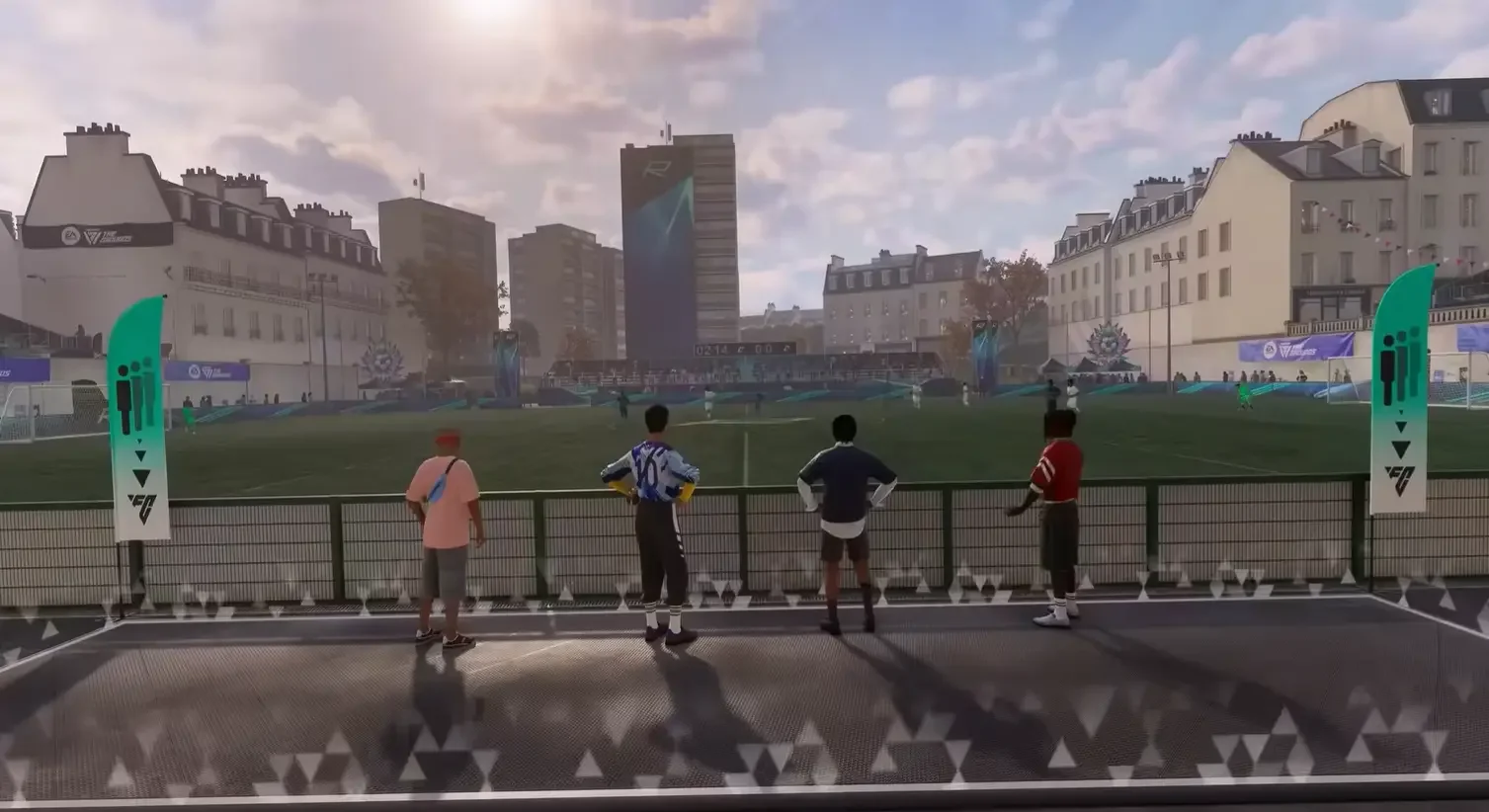
The Grounds EA FC 27 is more than a doorway into Clubs. It acts as a social hub built around your created player. You can walk around the space.
Mini-games and smaller matches are available there. You can also customize your character. Those activities contribute to your player development. That connection makes FC 27 The Grounds important for competitive Clubs players.
You are not only hanging around between matches. You can use the area to improve your Virtual Pro.
How Does EA FC 27 Pro Clubs Progression Work?
Your Virtual Pro improves through regular play. Drop-in matches contribute toward progression. Rush also provides another development route. You earn Skill Points as you level. Those points improve important attributes.
PlayStyles also help define how your Pro performs. Your goal should be building around your actual position. A striker needs different strengths from a defender.
The same applies to midfielders and goalkeepers. Avoid spending points because one attribute simply looks powerful. Build for the actions you perform most often.
Which EA FC 27 Pro Clubs Match Types Can You Play?
You have several ways to use your Virtual Pro. Each mode serves a different purpose.
| Match Type | Best Use |
| Drop-in | Practicing without your regular club |
| Rush | Faster matches and player development |
| League Matches | Main club competition |
| Playoffs | Seasonal competitive target |
| Club Tournaments | Rotating rules and objectives |
League play forms the main competitive structure. Each Season gives your club another chance to climb. You start lower in the Clubs League pyramid.
Your long-term target is the EA FC 27 Pro Clubs Elite Division. Playoffs sit at the top of the seasonal competition. They also provide a major reason to keep improving your club.
What Is The EA FC 27 Pro Clubs Meta?
The EA FC 27 Pro Clubs meta starts with role discipline. You should build a Pro for one clear job. Do not create one player trying to perform every task.
Your Archetype should support your selected position. Your Skill Points should then strengthen that same role. Team structure matters just as much. A technically strong team can still struggle with poor positioning. Try to keep passing options available.
Avoid several teammates chasing the same ball. You should also learn your club’s movement patterns. That becomes more valuable during competitive League Matches.
What Are The Best EA FC 27 Pro Clubs Archetypes?
There is no single best Archetype for every player. The available categories cover different areas of the pitch. You can choose an attacking focus.
Midfield options support different central roles. Defensive Archetypes suit players protecting deeper areas. Goalkeeper options handle the final position.
Your EA FC 27 Pro Clubs player build should match how you actually play. A quick attacker should prioritize movement-related strengths. A deeper midfielder needs useful passing qualities.
Defenders should focus on stopping attacks. The exact best build changes with your position and club tactics.
How Do Playoffs And Elite Division Work?
Each Clubs Season gives your team another competitive journey. You move through divisions by performing well. The top of that progression leads toward Elite Division.
Playoffs act as the major seasonal competitive stage. Your club can earn rewards through successful progression.
You can monitor that progress from the Clubs Overview page. Your overall record is also tracked.
Skill Rating and goals are visible there too. Recent match history lets you review individual performances. That makes it easier to identify weak areas between sessions.
Read More: FNAF Fortnite Is Coming - Fortnitemares 2026
Which Platforms Support The Grounds And Clubs?
The Grounds, including Clubs, is available on current supported platforms.
These include:
- PlayStation 5
- Xbox Series X|S
- PC
- Nintendo Switch 2
You should check your platform before planning a club with friends. The Grounds structure is central to the new EA Sports FC 27 Clubs experience.
Wrapping Up!
Pro Clubs in EA FC 27 feels familiar once you understand its new home. The major adjustment is simply accessing everything through The Grounds. Use My Club when you need management tools. Visit the Clubhouse when you want actual matches.
Your Virtual Pro then grows through regular gameplay. Drop-ins and Rush give you extra development routes. League Matches remain the heart of serious club competition.
Your best approach is building around one position. Then learn how your teammates move. That combination matters more than chasing a supposed universal meta build.
FAQs
Can You Join A Pro Clubs Match After It Has Started?
Yes, if your club enables the required setting. You can enter an empty position currently controlled by AI. You cannot replace another human player already participating in the match.
Can You Change Clubs In EA FC 27?
The club settings let you switch to another club. You can also leave your current team completely. These options are available through your club management menus.
Can You View Other Clubs In EA FC 27?
You can browse top clubs and search for specific teams. You can also inspect team composition and other club information through the available Clubs pages.
Can You Share Your EA FC 27 Club Online?
Your club page can generate a shareable URL. You can send that link to friends or rivals so they can view your club information and statistics.
Can You Review Previous Pro Clubs Matches?
Recent match history records previous games. You can also check individual player performance from those matches, helping your team review mistakes and stronger performances.