
Classé
Basé sur
53,801+
53.8k
avis
Téléchargement instantané
Garantie de remboursement à 100 %
Assistance 24 heures sur 24
 Microsoft
 Worldwide
 Téléchargement numérique instantané
Classé Excellent

Basé sur 53,801+ avis
A reliable experience from purchase to activation. Consistently excellent.
Verified Buyer
Efficient purchase and prompt service—I’ve never been disappointed.
Verified Buyer
I've been a customer for 15 years. Unmatched service and reliable key delivery.
Verified Buyer
I received my PlayStation Plus key promptly, and the setup was effortless.
Verified Buyer
The ordering process was smooth and uncomplicated. Ideal for busy gamers.
Verified Buyer
Windows 11 Pro worked perfectly out of the box—reliable and trustworthy.
Verified Buyer
Perfect For Work & Productivity
Téléchargement instantané
Garantie de remboursement à 100 %
Clé Windows 11 Home Retail
Microsoft
Worldwide
Téléchargement numérique instantané
Perfect For Work & Productivity
A reliable experience from purchase to activation. Consistently excellent.
Verified Buyer
Efficient purchase and prompt service—I’ve never been disappointed.
Verified Buyer
I've been a customer for 15 years. Unmatched service and reliable key delivery.
Verified Buyer
I received my PlayStation Plus key promptly, and the setup was effortless.
Verified Buyer
The ordering process was smooth and uncomplicated. Ideal for busy gamers.
Verified Buyer
Windows 11 Pro worked perfectly out of the box—reliable and trustworthy.
Verified Buyer
RAPPEL : Si vous effectuez une mise à niveau depuis Windows 10, nous vous recommandons d'attendre d'être averti par Windows Update que la mise à niveau est prête pour votre appareil.
Windows 11 est le prochain système d'exploitation client et inclut des fonctionnalités que les entreprises devraient connaître. Windows 11 repose sur les mêmes bases que Windows 10. Si vous utilisez Windows 10, Windows 11 constitue une transition et une mise à jour naturelles vers ce que vous connaissez et ce que vous connaissez déjà.
Il propose des innovations visant à améliorer la productivité des utilisateurs finaux et est conçu pour prendre en charge l'environnement de travail hybride d'aujourd'hui.
Vos investissements dans les mises à jour et la gestion des appareils sont reportés. Par exemple, la plupart des mêmes applications et outils peuvent être utilisés dans Windows 11. La plupart des mêmes paramètres et politiques de sécurité peuvent être appliqués aux appareils Windows 11, y compris aux PC. Vous pouvez utiliser Windows Autopilot avec un déploiement sans intervention pour inscrire vos appareils Windows dans Microsoft Endpoint Manager. Vous pouvez également utiliser les nouvelles fonctionnalités, telles que Azure Virtual Desktop et Windows 365 sur vos appareils Windows 11.
Si vous effectuez une mise à niveau depuis Windows 10, nous vous recommandons d'attendre d'être averti par Windows Update que la mise à niveau est prête pour votre appareil. Pour vérifier si Windows 11 est prêt pour votre appareil, sélectionnez Démarrer > Paramètres > Mise à jour et sécurité > Windows Update > Rechercher les mises à jour.
Pour connaître les problèmes connus susceptibles d'affecter votre appareil, vous pouvez également consulter le hub de santé de la version Windows.
Rendez-vous sur la page de téléchargement de Windows 11 pour découvrir les autres options d'installation ou de création de supports Windows 11. Consultez chacune d'entre elles pour déterminer la meilleure option pour vous.
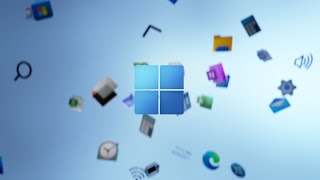
A Windows 11 Home Retail Key is a digital license code. You use it to activate Windows 11 Home on your PC. You enter it during installation or through Windows settings.
This key is made for the Home edition only. So, it will not activate Windows 11 Pro. You always need to check your Windows edition before buying. Windows 11 Home is a good option if you are a normal user. It suits gaming, browsing, streaming, schoolwork as well as home productivity.
Windows 11 Home is built for your normal daily use. It covers gaming, streaming, browsing, and basic work.
Windows 11 Pro includes extra business tools. You get BitLocker, Remote Desktop, and Hyper-V. It is better for business users and advanced setups.
You can get a Windows 11 Home key by buying it online on Electronic First. After checkout, the key is delivered digitally. Once your order is complete, check your email inbox. You can also log into your account dashboard. Then, open your order and view your key.
At Electronic First, you can buy, receive, and activate within minutes.
Windows 11 Home is not free for full activation. You need a valid license key to activate it properly. Without activation, Windows may still run with limits. You may see an activation watermark. You may also lose access to some personal settings. Buying a Windows 11 Home license is the better choice. It gives you a cleaner Windows experience.
A retail key is usually better if you want more flexibility. It may be easier to transfer after changing your PC.
An OEM key is often tied to one device. So, it may not move easily to another system.
For most buyers, a retail key is the safer pick. It suits new builds, upgrades, and future PC changes.
Windows 11 keys are legal when they come from trusted sellers like Electronic First. A valid key should activate the correct Windows edition.
You should avoid random free keys online. Many of them may not work. Some can also create activation issues later. Electronic First offers genuine software keys with instant delivery. You also get 24/7 support and a money-back guarantee.

Utilisateur
Utilisateur
Utilisateur
Utilisateur
Utilisateur
Utilisateur
Utilisateur
Utilisateur
Utilisateur
Utilisateur
10 of 23 reviews loaded



Receive 100% genuine software keys, backed by our Flawless Activation guarantee for complete peace of mind.
Your software key is delivered directly to your email inbox within seconds of completing your purchase. No waiting.
Our dedicated support team is available around the clock via live chat and email to assist with installation and activation.
Our 30-day money-back guarantee ensures a fast refund or replacement if your key is faulty or incompatible.
The price you see is the final price you pay. No hidden service fees or surprise charges at the checkout.
Earn valuable points with every purchase and redeem them for real discounts on future software.
A proven track record with thousands of verified, positive reviews from real customers across the globe.
Pourquoi nos clients nous aiment
Classé « Excellent »
Saved a ton on Office 2021. Got my key immediately and it activated without a hitch. EF is the real deal!
by Verified Buyer
Bought a PS Plus membership, code in seconds. Had a minor issue, support resolved it fast. Very impressed!
by Verified Buyer
Doubted a deal this good, but a friend insisted. My Windows 10 Pro key arrived instantly and works perfectly.
by Verified Buyer
Bought Office 2021 at 2am and got my key immediately. I didn’t expect delivery at that hour. Outstanding!
by Verified Buyer
Overseas but still got my code instantly. Xbox Live Gold code redeemed with no region issues. Impressed!
by Verified Buyer
Got Windows 10 Pro & Office 2021 far cheaper than retail. Both keys arrived instantly and activated fine.
by Verified Buyer
Got a Steam game key cheap. Code came instantly, I was playing within minutes of purchase. Can’t beat that!
by Verified Buyer
Bought Windows 11 Pro dirt cheap. Key arrived instantly and activated without issues. Truly 100% legit!
by Verified Buyer
First purchase, was cautious. Fast delivery and legit PS Plus code won me over. I’ll be a repeat buyer.
by Verified Buyer
Bought an Amazon gift card at a discount. Code arrived in seconds and worked perfectly. A lifesaver!
by Verified Buyer
Bought an Xbox Game Pass code at an unbeatable price. Arrived in my email within seconds. Beyond satisfied!
by Verified Buyer
Windows 11 Pro key seemed too cheap. 80k+ reviews convinced me to try them. Code arrived instantly and worked.
by Verified Buyer
Gagnez des revenus supplémentaires sans effort
en rejoignant notre programme d'affiliation
Rejoignez l'EF Army pour bénéficier d'avantages exclusifs pour les membres
Votre panier est vide !
Add your favourite games & software to get started.
Voir les meilleures ventes






Convert coins into real savings at checkout!
Check Dashboard New here? INSCRIVEZ-VOUS & Track ProgressEarn EF Coins by completing tasks — build up your balance and turn them into wallet credit!

Devenez membre de la communauté EF

Acheter un produit

Personnalisez votre surnom

Ajouter une photo de profil

Ajouter un produit à la liste de souhaits

Précommandez un produit

Achetez 10 produits
Achetez 20 produits

Membre depuis plus de 6 mois

Membre depuis plus d'un an

Laisser un commentaire
Every 10,000 EF Coins = $1 Credit
PARTAGEZ