
Rated
based on
53,801+
53.8k
reviews
Instant Download
100% Money Back Guarantee
24/7 Support
 Steam
Steam
 Worldwide
 Instant Download






Instant Download
100% Money Back Guarantee
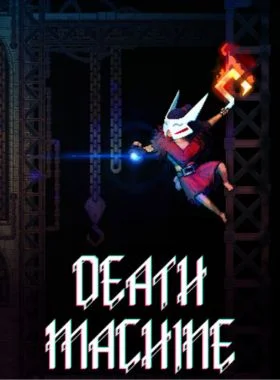
Death Machine PC Steam CD Key
Steam
Worldwide
Instant Download
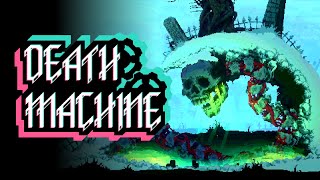
Rejecting the dogmatic vision of the machine and its endless production, you are cast down into darkness. But in the darkness, a bargain is struck with a foe of old. Ascend the machine citadel with eyes open, and bring a reckoning upon those who ruined the world before it was all iron, blood, and bones.
FEATURES
ROGUELITE METROIDVANIA - Explore the machine citadel, find secret paths to hidden chambers, and establish a foothold in the belly of the machine. Return to a Sanctuary with your plundered skulls to discover new and unusual items. Or instead, set your sights on conquest, assemble a clutch of potent items, and risk it all against the monstrous denizens that lurk in the dark corners of the citadel. But beware, your mayhem in defiance of the machine will not go unnoticed - enemies assembled to defeat you will grow in potency and number the longer you wreak havoc.
EXPLORE THE MACHINE - Death Machine mixes the wonder of classic metroidvania exploration, with exciting combat powered by a versatile roguelite item system. Each run, you can choose to focus on exploration - discovering new items and powers, hoarding skulls taken from your enemies, and making it back to take to a Sanctuary to cash in your loot with your patron.
WREAK DEMONIC HAVOC - Use the spoils of your exploration to concoct mighty builds, letting you go toe to toe with the most dangerous residents of the citadel. Careful consideration when crafting your build will help you unlock certain pathways not accessible otherwise. Diverse builds will also let you wield potent hybrid items, bridging the mechanics of two elements together.
Launch the Steam client and log in to your Steam account. (If you don't have it, download and install it from here)

On the lower-left corner, click on Click + ADD A GAME, then select Activate a Product on Steam...

A Product Activation window will pop up, just click Next.

Read the Agreement, and click I Agree.

Enter the Steam game code and hit Next.

Click Finish.
At this point, you can choose to download/install the game on your PC now or do it at a later time. You will find your game in your Steam Library.
Go to Activate a Product on Steam, make sure you are already logged in to your Steam account.
Enter your Steam product code on the space provided, tick the I agree box, then click Continue.
The game will now be added to your Steam Library.

Launch Steam Client using the Steam credentials sent to your email address. (If you don't have it, download and install it from here)

To get the verification code, log in to the Email Login URL here using the Email Credentials sent to your email address and type the verification code on Steam.
To help you enable Steam Family Sharing and to play this game on your main Steam account, please follow the instructions in this video.
NOTE: Due to technical limitations, some Steam games may be unavailable for sharing. For example, titles that require an additional third-party key, account, or subscription in order to play cannot be shared between accounts.
You now have 100% ownership of this account, feel free to change all personal details on this account. We can add more games to your account for cheap prices in the future. Just let us know which Steam game you would like to buy and we will make a custom offer for you.
Having trouble redeeming your code? Check out the Fix Common Errors for Steam.
Be the first to review this product!



Receive 100% genuine software keys, backed by our Flawless Activation guarantee for complete peace of mind.
Your software key is delivered directly to your email inbox within seconds of completing your purchase. No waiting.
Our dedicated support team is available around the clock via live chat and email to assist with installation and activation.
Our 30-day money-back guarantee ensures a fast refund or replacement if your key is faulty or incompatible.
The price you see is the final price you pay. No hidden service fees or surprise charges at the checkout.
Earn valuable points with every purchase and redeem them for real discounts on future software.
A proven track record with thousands of verified, positive reviews from real customers across the globe.

Best Seller
640+ Sold

Best Seller
530+ Sold

Fast Mover
433+ Sold
Why our Customers Love Us
Rated Excellent
Saved a ton on Office 2021. Got my key immediately and it activated without a hitch. EF is the real deal!
by Verified Buyer
Bought a PS Plus membership, code in seconds. Had a minor issue, support resolved it fast. Very impressed!
by Verified Buyer
Doubted a deal this good, but a friend insisted. My Windows 10 Pro key arrived instantly and works perfectly.
by Verified Buyer
Bought Office 2021 at 2am and got my key immediately. I didn’t expect delivery at that hour. Outstanding!
by Verified Buyer
Overseas but still got my code instantly. Xbox Live Gold code redeemed with no region issues. Impressed!
by Verified Buyer
Got Windows 10 Pro & Office 2021 far cheaper than retail. Both keys arrived instantly and activated fine.
by Verified Buyer
Got a Steam game key cheap. Code came instantly, I was playing within minutes of purchase. Can’t beat that!
by Verified Buyer
Bought Windows 11 Pro dirt cheap. Key arrived instantly and activated without issues. Truly 100% legit!
by Verified Buyer
First purchase, was cautious. Fast delivery and legit PS Plus code won me over. I’ll be a repeat buyer.
by Verified Buyer
Bought an Amazon gift card at a discount. Code arrived in seconds and worked perfectly. A lifesaver!
by Verified Buyer
Bought an Xbox Game Pass code at an unbeatable price. Arrived in my email within seconds. Beyond satisfied!
by Verified Buyer
Windows 11 Pro key seemed too cheap. 80k+ reviews convinced me to try them. Code arrived instantly and worked.
by Verified Buyer
Join the EF Army for exclusive member benefits


Convert coins into real savings at checkout!
Check Dashboard New here? Sign Up & Track ProgressEarn EF Coins by completing tasks — build up your balance and turn them into wallet credit!

Be a member of the EF community

Purchase a product

Personalise your nickname

Add profile picture

Add a product to wishlist

Pre-order a product

Purchase 10 products

Purchase 20 products

Member for more than 6 months

Member for more than a year

Leave a review
Every 10,000 EF Coins = $1 Credit

Share