


Ever bought a game on Steam, played for twenty minutes, and realised it just isn't for you? You're not alone. And here's the good news: that "steam refund" button exists for exactly that situation. It isn't some shady workaround or a trick for freeloaders. It's a straightforward purchase-protection feature that most people never even think to use.
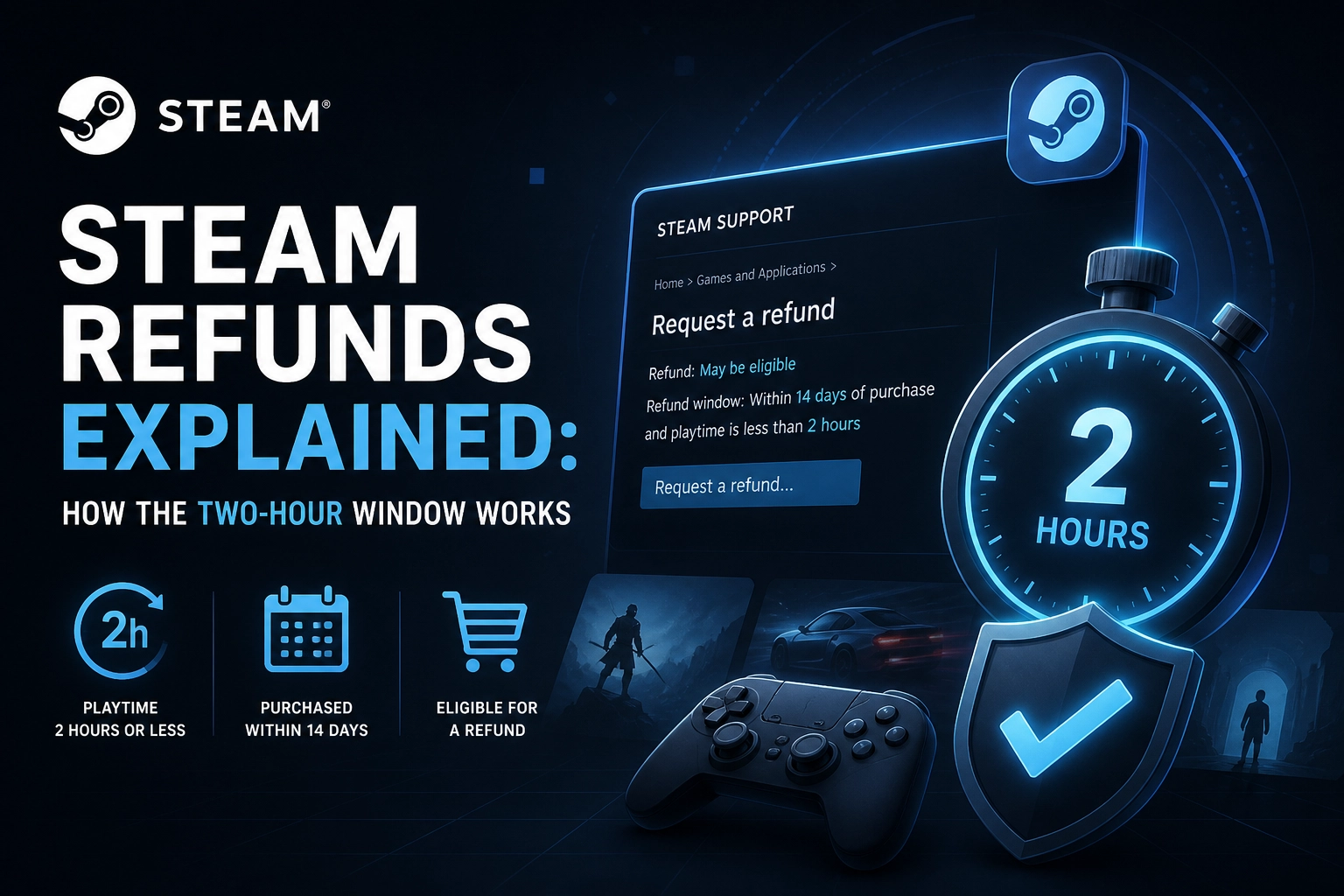
Steam's refund system runs on two numbers, a 14-day window and a two-hour playtime limit, and how they combine decides whether you get the automatic route. Know how they work and you can file a request in minutes and approach day-one buys with a lot less worry.
Whether you're brand new to Steam or just never bothered reading the fine print, this tutorial will help you shop a bit smarter. Let's get into it.

The Steam Refund Policy in Plain English
Here's the short version: Steam lets you request a refund on a game purchase. The standard published policy is a 14-day window from the purchase date with under two hours of playtime, and you don't need to give a reason. The policy exists as purchase protection, not a free rental service. It exists for the cases that actually go wrong: a game that won't run on your setup, a port that crashes, or a title that turns out to be nothing like its store page suggested.
It is not a loophole. Steam Support can review requests that fall outside the window, and repeat refunds across a lot of titles are the kind of pattern that gets noticed. That's why honest framing matters more than clever wording.
Eligibility comes down to two numbers Steam already tracks: days since the transaction and hours played.
One important limit: this all applies to games bought directly through Steam. If you picked up a key from a marketplace such as ElectronicFirst, your options follow that retailer's terms rather than Steam's policy, so read them before you buy. Steam's page spells out this limit. Always confirm the exact wording on Steam's own refund page, since that page is the only authoritative version.
The 14 Days and Two Hours, Explained Together
Both limits apply at the same time, so falling short on one puts you on the manual route even if you're comfortably inside the other. Miss one and you're out of the automatic route: inside 14 days but three hours played, or under two hours but 15 days since purchase, and your request goes to manual review instead.
The clock starts at the transaction date, not your first launch. A game that sits in your library unplayed for three weeks is already past the window with zero minutes on record. And playtime is cumulative across every session, so your allowance isn't preserved by walking away from the game.
Two hours is a short test drive. On a big open-world game that's character creation and the tutorial, which is why it's worth deciding what you actually need to verify before you hit play. If you want a lower-stakes trial first, free play windows like the Football Manager 27 five-day preview can tell you plenty before you buy.
Past those bounds, the process changes.
What Happens When You Ask Outside the Limits
If you checked your playtime and realized you're outside the window, you can still file. Out-of-window requests can still go through, but they're handled by Steam Support rather than the automated route.
That said, approval is discretionary and not guaranteed. Support can grant a refund the automated system would not, but the outcome depends on the case, not on any published entitlement.
What helps is evidence, not persistence. A clear description of what went wrong and anything that shows the problem carries more weight than a long complaint.
You'll find plenty of social posts about refunds granted well past the two-hour mark, including cases tied to a publisher removing content after launch. Treat those as illustrations of discretion, not precedents you can plan a purchase around.
This is where most guides oversell. Building a buying decision on the assumption an exception will be made is how people end up stuck with a game they cannot play and cannot refund.
How to Refund a Game on Steam, Step by Step
Once you've decided to use the standard route instead of a manual appeal, here's the path. It's shorter than most people expect.
Sign in at help.steampowered.com with the account that bought the game. You can't file from the store page or the in-client overlay.
Open Purchases in the help menu. That's your transaction history, not your library, so uninstalled games still show up.
Select the transaction, then choose the refund option that fits. The page shows your playtime and days since purchase, the two numbers that decide eligibility.
Choose where the money goes if Steam offers both Steam Wallet credit and the original payment method. Outside the standard window, add a short note about what went wrong.
Submit and watch the help page and your email. If approved, the game leaves your library, so don't plan on playing after the refund lands.
If it was a gift, bought on a secondary account, or missing from your history, contact Steam Support directly instead of retrying the form. Gift cards work differently from game purchases; if you're also buying credit for other platforms, our Roblox gift cards explained: which card gives you the most Robux? guide covers redemption and region rules.
Where the Money Goes and How Long It Takes
Once you've submitted the request, the next question is where the money actually goes. Steam refunds return either to your Steam Wallet or to your original payment method, and if both options are available to you, you normally choose one during the request.
Wallet credit tends to land fastest because there is no payment processor or bank in the middle. Card refunds can take several business days to appear on your statement after Steam approves the request, and that delay is on the bank's side, not Steam's. A purchase originally paid with wallet funds generally returns to the wallet. Some payment methods cannot receive refunds at all, so check before assuming cash is coming back.
Approval speed is less predictable than forums suggest. Some reports claim minutes, others roughly a week. In-window requests are usually decided quickly, but do not book your weekend around a fixed timeline. Keep an eye on your purchase history until the refund clears, since it's the clearest record if something goes wrong mid-process.
Where the Policy Gets Less Clear-Cut
That covers the straightforward requests. Pre-release purchases, DLC, and bundles each have their own wrinkles on Steam's refund page, so read the relevant section before you buy. For pre-orders, don't assume the 14 days start at launch; the wording on how dates and playtime count around release is specific. DLC and add-ons don't always follow the base game's track, so check the wording for each one. Check the current policy before buying a season pass. Bundles can be treated as a single purchase, so refunding one part may affect the whole order. Before you bundle to save a few dollars, check our Steam Preloaded autumn deals and festive deals for cheaper options. Among these edge cases, games that won't run remain the cleanest case. If you're near the hardware requirements, install and launch immediately. Anything the policy page doesn't answer is a question for Steam Support, not a forum thread. The policy text wins over a commenter's experience from a different year. Weighing a subscription instead of a full-price buy? See our Xbox Game Pass Ultimate comparison.
How the Two-Hour Window Should Change How You Buy
Once you know the edge cases, the policy stops being trivia and starts being a buying tool. A full-price purchase is far less risky than it feels. The refund right is the safety net that makes trying a new release on day one a rational move rather than a gamble, provided you actually test it.
Treat the first two hours as a paid demo. Install straight away, check frame rates and load times, play through the opening, then ask whether you want to keep going rather than whether the trailer looked good.
Don't buy three games in one weekend if you can only realistically test one. The clock is per game, but your attention isn't, and a game you never launched is a game you can no longer refund.
If early playtime matters, buy close to launch or check how Steam dates a pre-order. That's worth keeping in mind for big releases like Call of Duty: Modern Warfare 4, where launch timing is half the story.
Refunds reframe post-launch risk too. When a publisher changes or removes content, knowing the policy turns a complaint into a decision about whether to keep the game. And knowing you can reverse a purchase lets you judge a game on how it runs, not how much you've already spent.
Next, the honest approach pays off most when you actually use the window, because that's where testing stops being a gray area.

Where Legitimate Testing Ends and Abuse Begins
Knowing when to test a game is useful. Knowing when to stop is what keeps the option available. The line is straightforward: using the two-hour window to check whether a game runs and whether you actually want it is legitimate. Finishing a short game for free and moving on is not. That is the pattern most likely to get future requests declined.
That history weakens your case when something genuinely breaks and you need the safety net.
You may see talk of refunding a game to rebuy it cheaper in the same sale. Treat any such case as a fluke, not a strategy. Refunds are also a real signal to developers, especially when lots of players ask for money back after a controversial update.
Keep requests honest and rare. The people who treat the two-hour window as purchase protection are the ones who still get help when a game actually fails.
The Two-Hour Window Is Worth More Than You Think
The honest approach pays off most when you actually use the window.
That is the difference between a refund policy you can trust and one you are gambling on.
Conclusion
The Steam refund policy works best when you treat it as purchase protection, not a try-before-you-buy scheme.
When you're ready to spend, ElectronicFirst's deals pages are the place to start.